Laptop Repair vs Upgrade in Ahmedabad: What
October 22, 2026

Location:
06 Shajanad Complex, DMart Road, Jivraj Park Vejalpur Rd, AhmedabadUrgent Need Support?


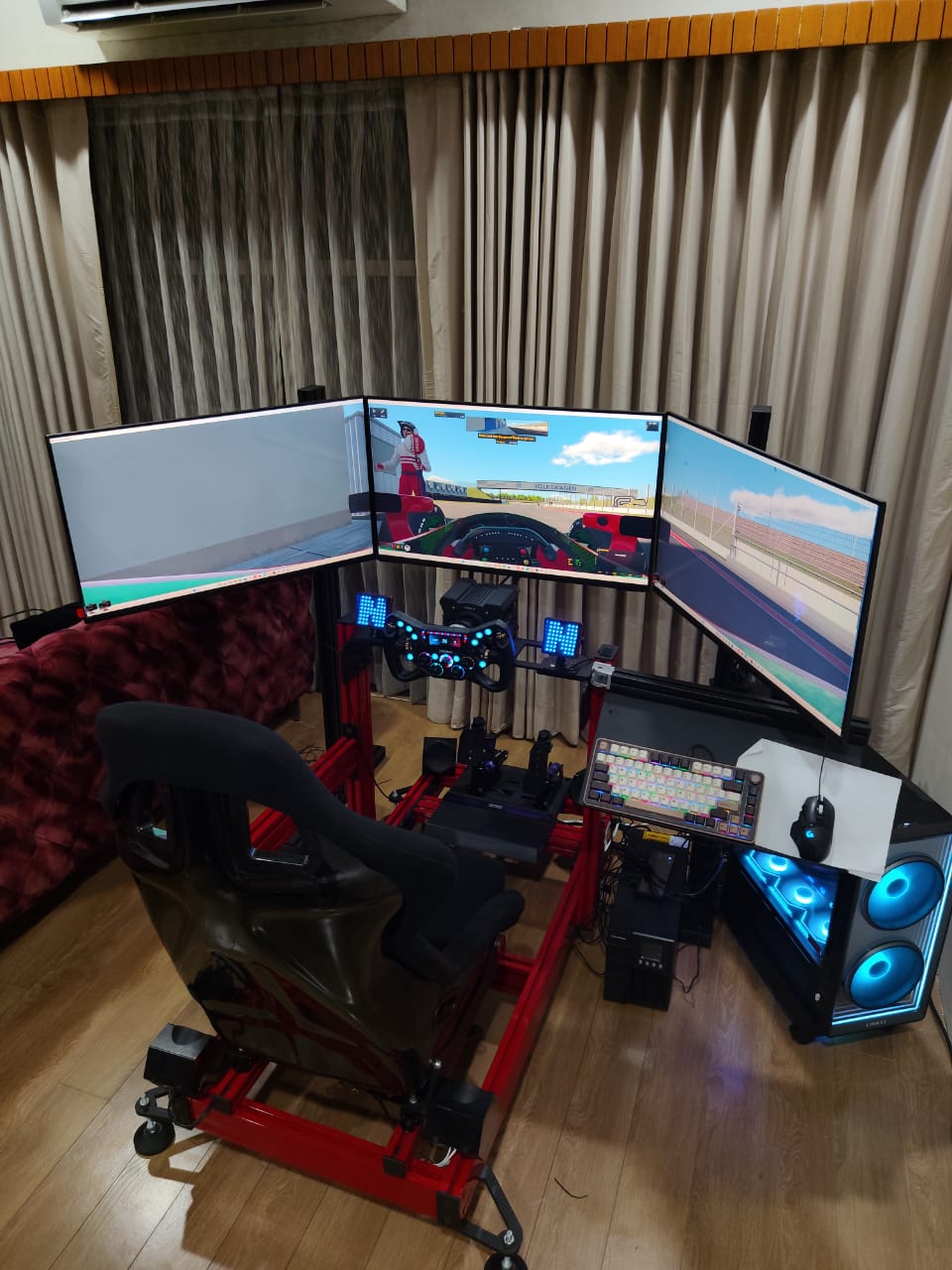
A multi-monitor setup is one of the simplest ways to get more done on a computer. Instead of switching between windows all day, you spread your work across two, three or more screens. At YOM Computer in Ahmedabad we build custom PCs for people who need exactly this: editors, designers, traders, developers, gamers and sim-racing fans. Here is a practical guide to planning a multi-monitor PC the right way.
Almost everyone who works with several windows at once gets value from a second screen. A few common cases:
Graphics card outputs. Check how many display outputs the graphics card has (HDMI and DisplayPort) and which versions. Match the card to the number and resolution of the monitors you plan to use, not just the one you own today.
GPU power. Office work across three screens is light. Gaming or racing simulation across three screens is demanding, because the card renders far more pixels. Plan the graphics card around the heaviest thing you will run.
CPU and RAM. More open applications means more memory use. For multitasking-heavy work, enough RAM matters more than people expect. For heavier creative work, read our workstation PC guide.
Power supply and cooling. A stronger graphics card needs a reliable power supply and good airflow. A well-ventilated cabinet keeps the PC quiet and stable during long sessions.
Try to use matching monitors, same size, resolution and panel type, so colours and sharpness look consistent across the screens. Thin bezels make a multi-screen layout look cleaner. For a gaming or racing triple-screen setup, equal refresh rates matter. For design work, colour accuracy matters most. Decide on a good stand, wall mount or monitor arm early so the screens line up at the same height and angle.
Plan cable length and routing before the build. Make sure the desk is deep and strong enough for the monitors, and leave room for the keyboard, mouse and any extra gear. A tidy cable layout makes the whole setup easier to maintain and upgrade.
A custom build lets us choose the graphics card, outputs, RAM, storage and cabinet around how many screens you want and what you will do on them. Every build is based on your requirements, so there is no one-size-fits-all configuration. You can read the full process in our PC build in Ahmedabad guide.
Tell us what work or games you want it for, how many screens you want and your budget range. YOM Computer will suggest a suitable configuration and build it for you. Contact YOM Computer or call +91 90678 80976 to get started.

At YOM Computer, our passion for technology drives us to create personalized, high-performance solutions for our clients. Since our founding in 2017, we have built a reputation for delivering reliable, scalable, and innovative tech solutions tailored to individual needs.


Urgent Support?

© YOM Computer. All Rights Reserved.